About this game
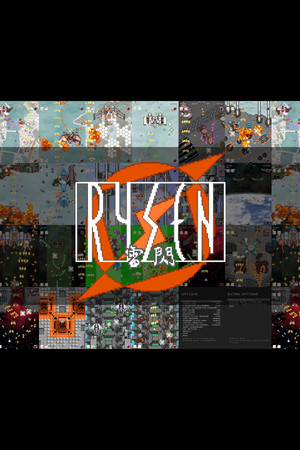
Rysen is an old school 2d shmup. Features • 7 stages per 1 round. • DirectInput & XInput controller are supported. • No bullet-hell. • No bomb, no combo, no buzz, no gems, no medals and any other bonus items, and no difficult scoring system. • Simple bonus system just to annihilate the enemy formation. • Designed to be able to concentrate on the two factors of avoiding bullets and firing shots. • 3 difficulties. • Fine configuration changes are possible. • Steam Leaderboards, Steam Achievements, and Steam Cloud are supported. When playing in fullscreen, please enable Steam Overlay to enable achievements-popup display. Game System The main keys used in the game are as follows. • Directional control (Analog stick or D-pad) • Weapon1 • Weapon2 (Not use while deploying shield) • Changing Speed • Insert credits For explanation of the game system & how to play, refer to the link of "View the manual" in the right list. Option settings • Switch windowed mode or full screen mode. • Adjust the window size. Original window size is 320x240. • Adjust vertical scale of the screen for full screen, if you want to adjust aspect ratio. • Adjust the window position to center of display screen. • BGM volume control. • SFX volume control. • The difficultiy of the game to choose from three, normal, hard or insane. • When using XInput gamepad, you can adjust the dead zone of the analog stick. • Indicate or not help messages of menu screens. • Remember player name (score name) or not to ini file. • V-sync for full screen. • Reset local leaderboards data. • Key settings of the keyboard, XInput gamepad and DirectInput gamepad. • Restore default settings. Extra Options • Practice mode (Stage select mode). • If you want to play your ogg files in this game, you can change BGM with the playlist editor. Note: To the extent that it does not conflict with the law, please use at your own risk. • The function to change the player fighters' coloring, the transparency of those borderline, and collision area indication or off. In-game options • Adjust the brightness of game screen. • Choose font colors and shadow. • Choose weapon stat icons' position or turn off. • Choose position of in-game messages or turn off. • Switch SFX on or off when enemies attacks. Regarding some attacks, SFX will be played regardless of this setting. • Switch shards effect on or off when enemies has destroid. Explosion anime can not be turned off. • Switch smoose scroll and sprite rotation on or off. • Switch display of FPS information on or off. • Switch enemies blink when damaged on or off. • Restore default settings.